Dashboard Usage Guide
The following guide will introduce the HIAS Core UI Dashboard.
The HIAS Dashboard provides an overview of the core components, AI Diagnostics Agents, Network IoT Agents, Network AI Agents and Network Devices; as well as statistics from the machine HIAS is intsalled on; and an overview of data from network environment monitors.
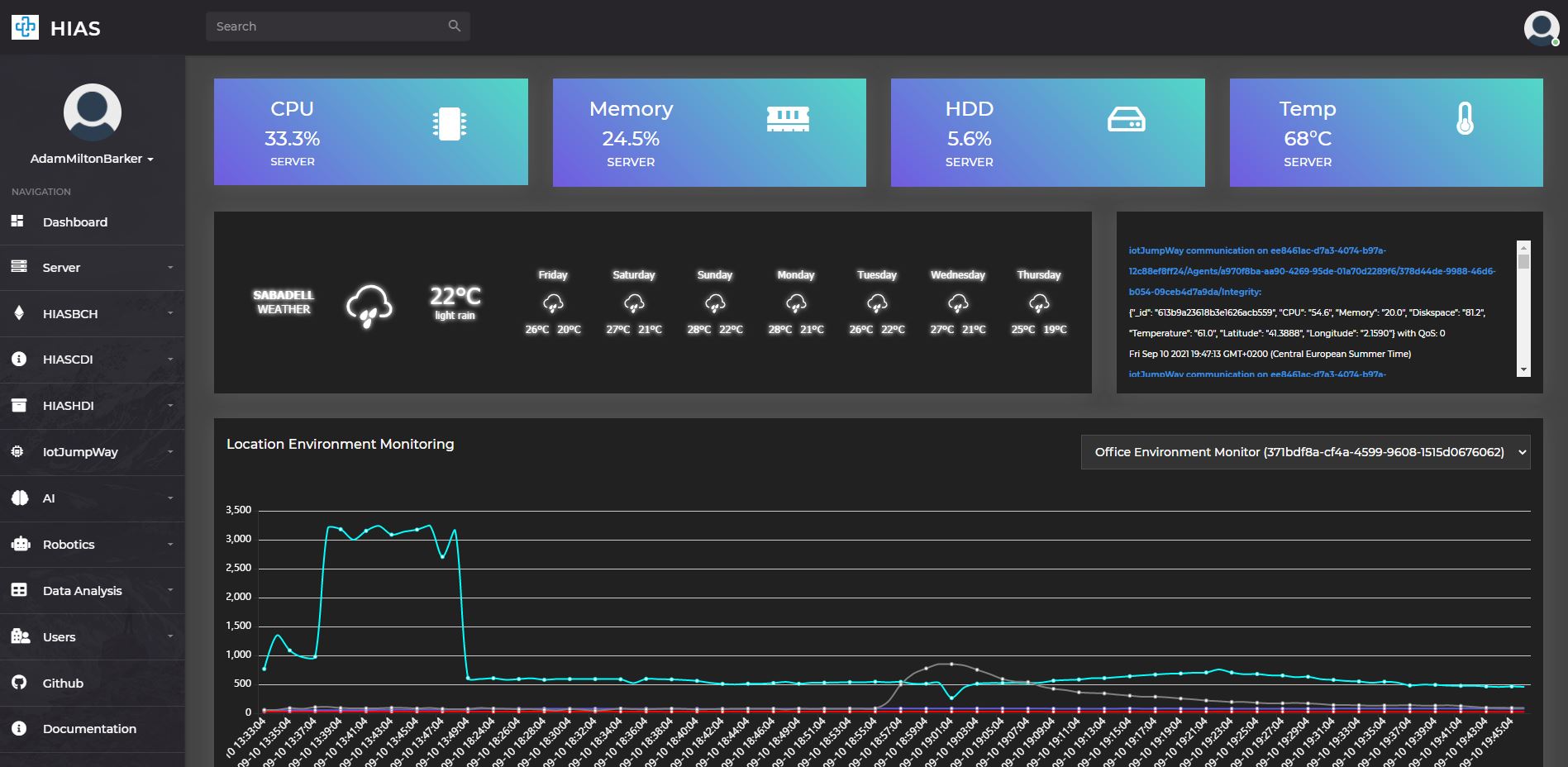
At the top of the dashboard you will find the current vital statistics of the machine HIAS is installed on including current CPU, memory and hard drive usage; and machine temperature. This feature is only available once you have a running HIAS MQTT IoT Agent. This feature is located at the top of every page in the UI.
The weather chart is provided by WeatherWidget.io, you can generate your own weather widget by following the WeatherWidget.io guide.
The iotJumpWay console window shows all HIAS network data flowing through the MQTT broker.
You will also find an overview of data from network environment monitors. This feature is only available once you have a running HIAS MQTT IoT Agent and a running HIAS ESP32 Environment Monitor.
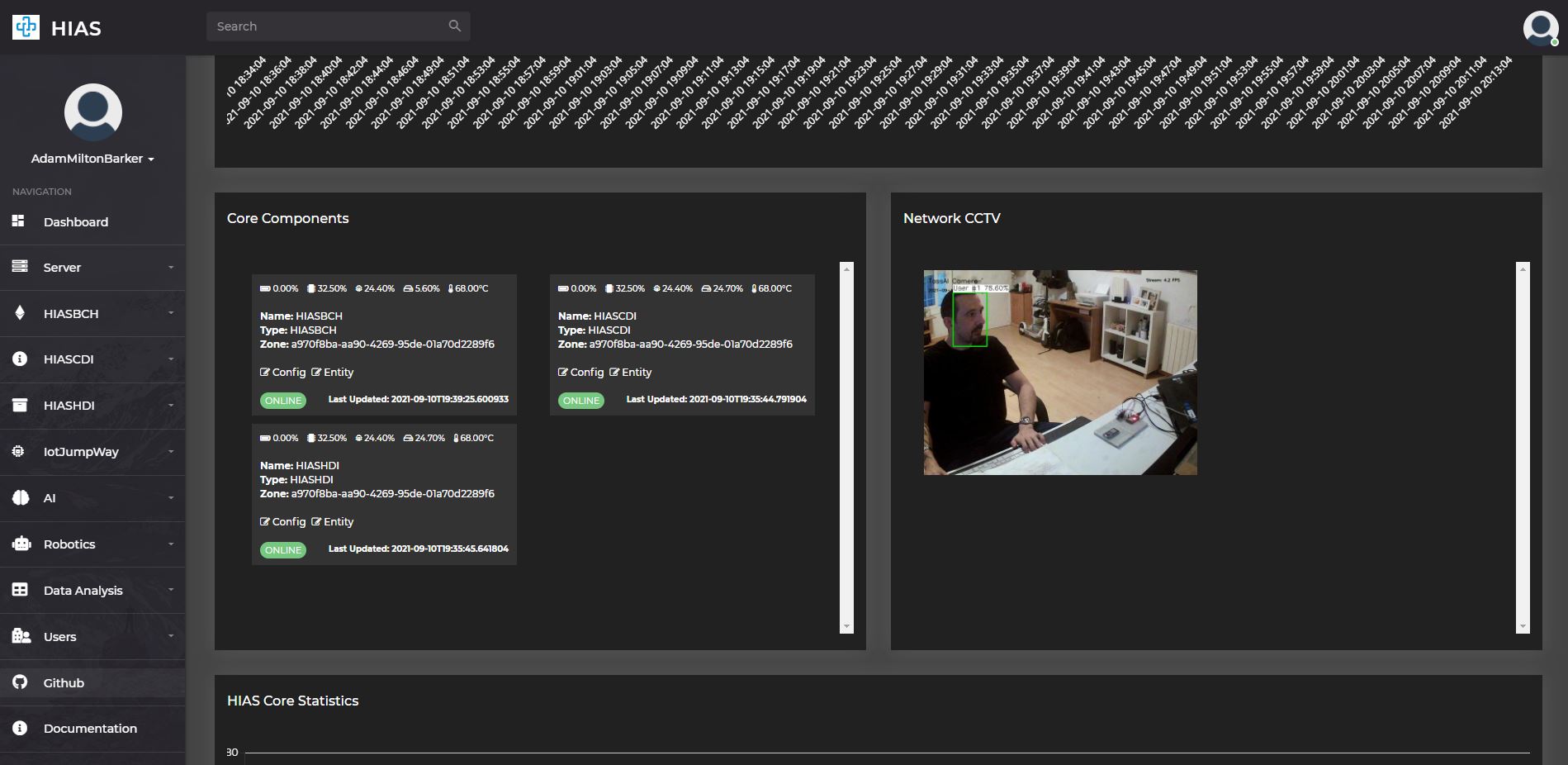
The next section of the dashboard provides information of the core components and provides views for any HIAS TassAI Facial Recognition AI Agents you have connected to your HIAS network.
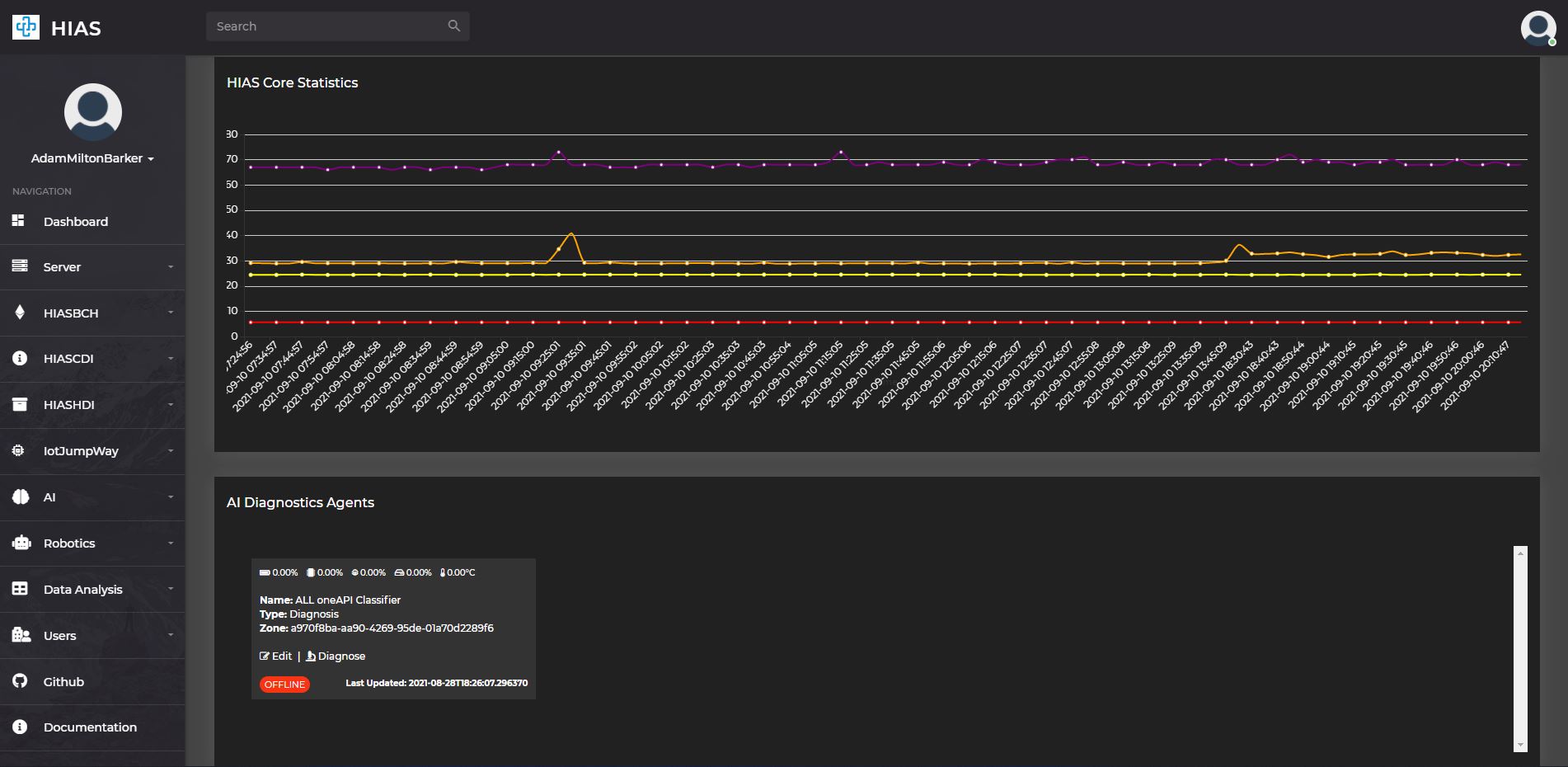
Next you will find historical vital statistics from the HIAS server. This feature is only available once you have a running HIAS MQTT IoT Agent.
The next section provides information of all AI Diagnostics Agents you have connected to your HIAS network; including the current status of each agent and the last time it was updated. An example of a HIAS AI Diagnostics Agent is the HIAS Acute Lymphoblastic Leukemia oneAPI Classifier.
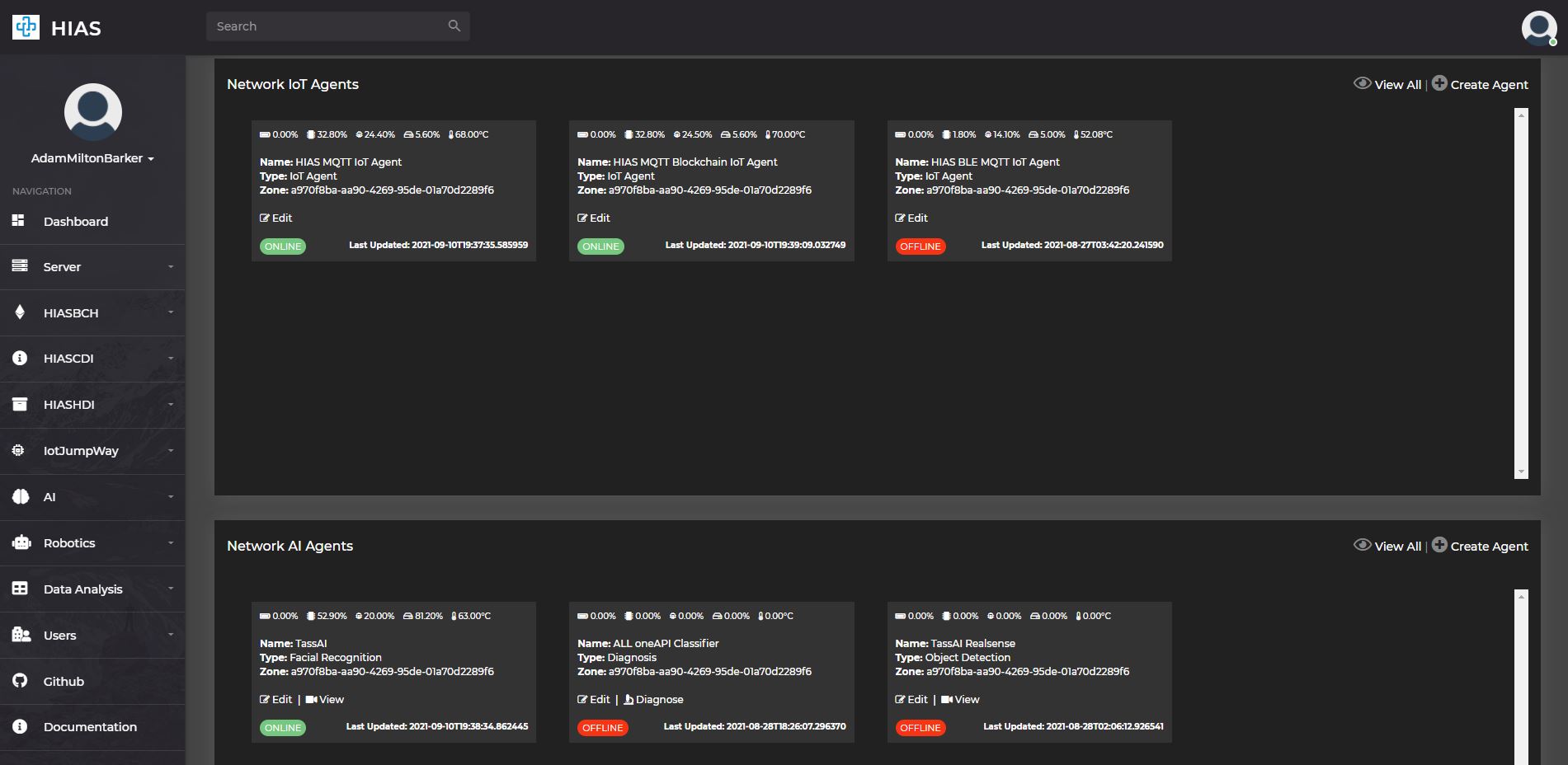
The following section provides information of all IoT Agents you have connected to your HIAS network; including the current status of each agent and the last time it was updated. Examples of a HIAS IoT Agents are the HIAS MQTT IoT Agent, the HIAS MQTT Blockchain Agent and the HIAS MQTT BLE IoT Agent.
The next section provides information of all AI Agents you have connected to your HIAS network; including the current status of each agent and the last time it was updated. Examples of a HIAS AI Agents are the HIAS TassAI Facial Recognition and the HIAS Acute Lymphoblastic Leukemia oneAPI Classifier.
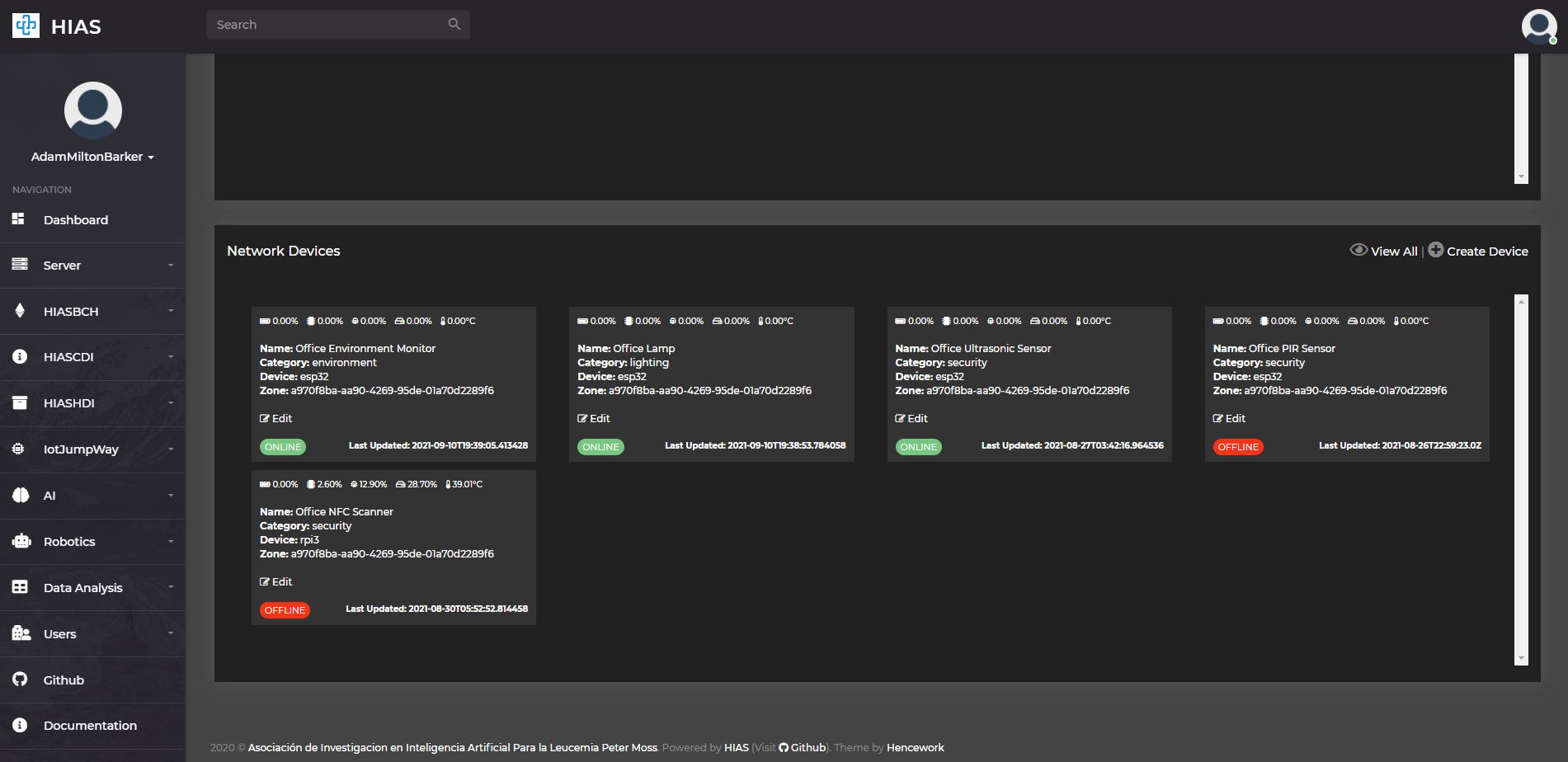
The final section of the HIAS UI dashboard provides information of all network devices you have connected to your HIAS network; including the current status of each device and the last time it was updated. Examples of a HIAS Network Devices are the HIAS ESP32 Environment Monitor.
Contributing
The Asociación de Investigacion en Inteligencia Artificial Para la Leucemia Peter Moss encourages and welcomes code contributions, bug fixes and enhancements from the Github community.
Ways to contribute
The following are ways that you can contribute to this project:
Please read the CONTRIBUTING document for a full guide to forking our repositories and submitting your pull requests. You will find information about our code of conduct on the Code of Conduct page.
You can also join in with, or create, a discussion in our Github Discussions area.
Contributors
All contributors to this project are listed below.
- Adam Milton-Barker - Asociación de Investigacion en Inteligencia Artificial Para la Leucemia Peter Moss President/Founder & Lead Developer, Sabadell, Spain
Versioning
We use SemVer for versioning.
License
This project is licensed under the MIT License - see the LICENSE file for details.
Bugs/Issues
We use the repo issues to track bugs and general requests related to using this project. See CONTRIBUTING for more info on how to submit bugs, feature requests and proposals.